 Anna Sheronova
In short
Automate the gym messages that are the same for everyone and arrive at a known moment, let a person approve the ones that depend on who gets them, and keep the sale, payment chases, injuries and complaints with your team.
- What sends itself: Confirmations, reminders, the first reply to a form and a welcome.
- Where AI fits: An AI agent answers routine questions in the chat and hands the rest to a person.
Gym automation sounds like the answer to the Sunday evening catch-up: a payment to chase, messages you missed between classes, bookings to move. Much of that gym admin is the same every week, so the question is which of those messages could go out without you.
This guide covers the messages your gym sends and answers, not billing, door access or booking software.
Messages sent by the automation
Confirmations, reminders, the first reply to a website form and a welcome after someone joins can all go out with nobody pressing send. An automation can start on a new lead, a booking, a cancellation, a class attended, a no-show, a new or cancelled membership, or a birthday. Booking and membership events come from your booking system, depending on which tools are connected.
On WhatsApp each of these messages is a template, filled in with the person’s name, the class time and the coach, in the member’s own language. That is automation with no AI in it.
Messages sent after your OK
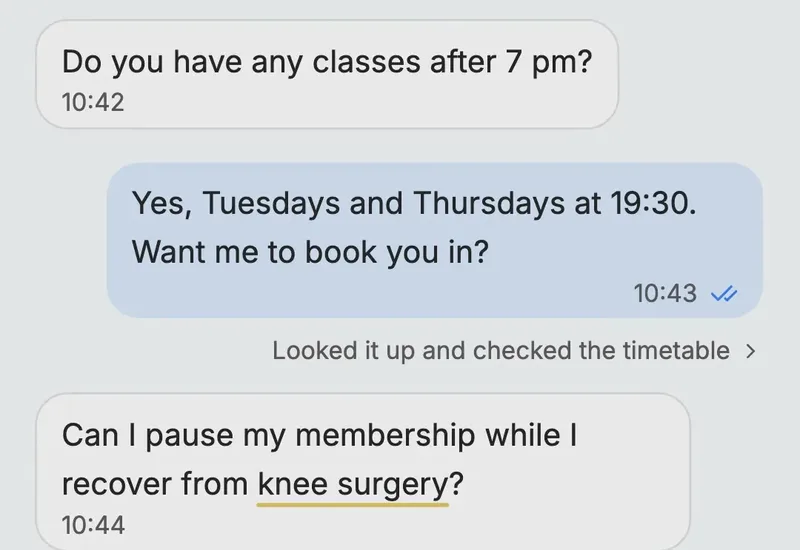
Some messages have a known moment, but their words or stakes depend on who gets them. Software can prepare those, and a person looks before they go. A note after a missed class belongs here, especially a second one. So do a seasonal offer, a check-in after weeks away and a birthday message.
A birthday sounds routine. The same warm note reads differently to someone who cancelled last week or is in a dispute with you. Only the person at your desk knows who that is.
A message can wait in two ways:
- For approval. It sits in the chat until someone on your team sends it or skips it.
- As a card with a time. It sends itself at the time shown unless someone skips it.
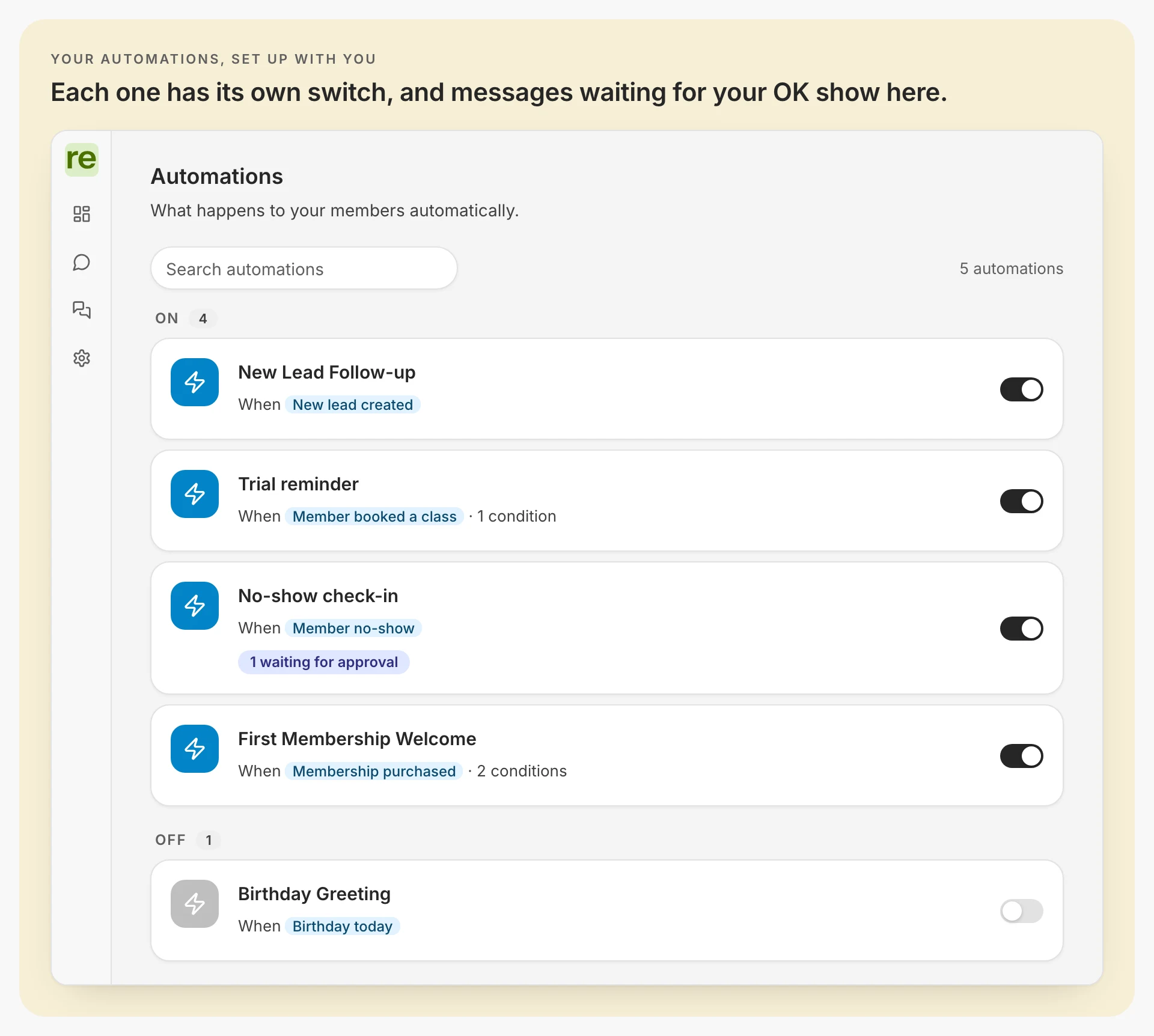
Nudges to a new lead sit in between, and the lead follow-up guide covers how many follow-ups to send before you stop.
Questions answered by the AI agent
An AI agent answers the questions people send your gym, using your own timetable, prices and rules, and passes the rest to your team. On WhatsApp, automated replies must offer a clear way to reach a person.
Our AI agent answers on WhatsApp, website chat and the phone, and also decides when to save a lead’s details and when to send a WhatsApp template at a moment you describe. It books depending on which tools are connected to it.
Whichever AI agent you use, check when it hands over. Ours offers to pass a conversation to your team when it turns to money already paid, a policy exception, a complaint, an injury or a medical condition, and hands over at once when someone asks for a person. Your own rules come on top.
When your team replies in the chat, the agent steps back until you hand it back or the chat has been quiet for 72 hours.
If the evenings are your problem, weigh the other ways to cover your evenings too.
Next steps chosen by an AI step (in progress)
An AI step can now go inside an automation. The step reads the person’s reply to your last message and picks one of the outcomes you named. Each outcome leads to a step that already exists: a message you wrote in advance, a wait, or a task for your team. We are adding this step to our automations.
Say Lisa Jansen answers your follow-up at 21:12 with “Busy month at work. Can I start in November?” A fixed rule only sees that she replied. An AI step can read it as not now and take the branch you set for that: wait three weeks, then send a check-in you wrote. Her question still gets its answer in the chat, from your AI agent or your team.
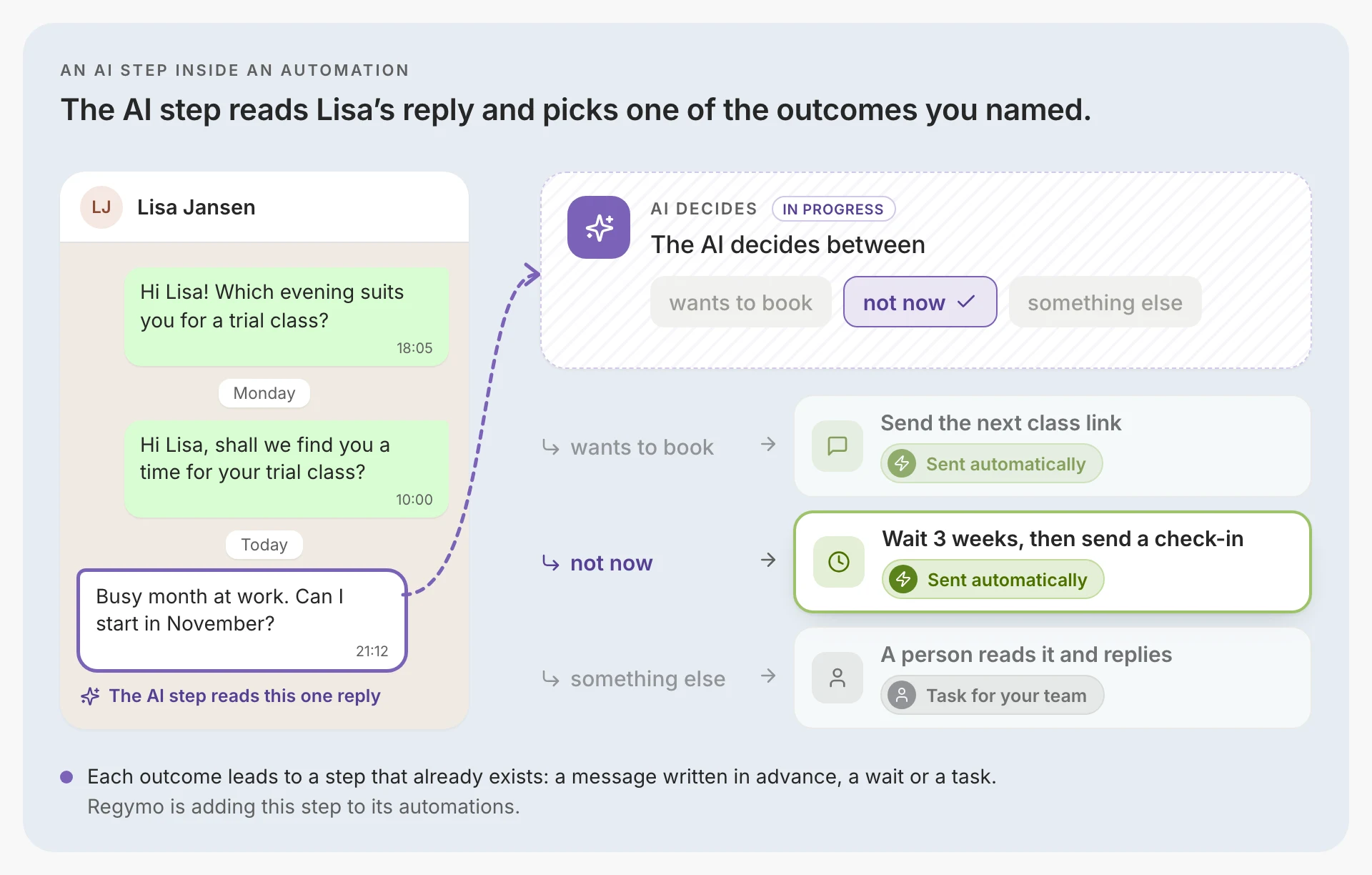
An AI step needs guardrails before it reaches your members:
- Few outcomes, named in advance. Three you can tell apart in a sentence each, such as wants to book, not now and something else.
- The outcome that matters goes to a person. Anything unclear becomes a task for your team, and so does anything about money or health.
- It reads the reply, not the history. Name outcomes one message can show, and leave judgements about the whole relationship to a person.
- Try it before it runs. Test it with the replies members really send and check where each one lands.
Messages written by a person
A handful of messages your gym starts should come from a person every time. The words depend on what happened, and someone has to be there for the answer.
- A payment chase past one neutral reminder. One automatic note that a payment failed is fine. After that a person writes, because the member may be leaving or short of money.
- Anything after a complaint or an injury. Pause their automatic messages and write yourself. A routine reminder the next day reads as if nobody listened.
- A win-back to someone who left angry. A friendly template can reopen the argument, so a person decides whether to write at all.
- Contract changes. A new price, new terms or ending someone’s membership bring questions, and someone should be ready to answer them.
- The offer after a trial. It comes from the coach who ran the class, and what to send after a trial class shows what can run around it.
Which gym messages to automate, and where to start
| Who sends it | Why | |
|---|---|---|
| The first reply to a form | The automation | The same for everyone, and it should arrive while the lead is still looking |
| A booking confirmation or trial reminder | The automation | The same for everyone, at a moment the booking sets |
| A follow-up nudge to a lead | The automation, and the last one can wait for your OK | The first nudges are the same for everyone, and the last depends on what you know about the lead |
| A no-show note | After your OK | A first missed class and a fourth need different words |
| The offer after a trial | A person | The sale happens in the room |
| A renewal reminder | The automation | The same for everyone, and the date is known. Questions about the price go to a person |
| A payment problem | The automation once, then a person | After one neutral reminder, money needs a person’s judgement |
| An injury mentioned in a chat | A person | The AI agent offers to pass it to your team straight away, and no template should answer it |
| A member gone quiet | After your OK, then a person carries on | Software can notice the missing visits where your booking system is connected, and a person finds out why |
Where to start. Start with one automation, the one that hurts most. That might be the class reminder, if no-shows are the problem, or a first reply that now waits until Monday. Send it to your own phone first and read it as a member would. Then read every reply it gets for two weeks and change what people misread.
Regymo’s WhatsApp automations are set up with you: you decide the sending hours and which messages wait for your OK, and you can switch an automation off, or pause automatic messages for one person, yourself.
Questions people also ask
Will automated messages annoy my members?
Not the ones they expect, such as a reminder before their class or a booking confirmation. They annoy when a template pretends to be a person, arrives at the wrong hour, or keeps going after someone replied.
My booking system already sends reminders. Do I need anything else?
Not for the reminders: don’t send the same one twice. Check what else it already does before you add anything: who answers when someone replies to a reminder, whether a lead who didn’t book hears from you again, and how a question reaches someone at the desk. Add only what it leaves out.
Who writes the automated messages?
You do, once, before anything goes out. Meta reviews a template when it is created and again whenever it is edited, so a change to the wording goes back for approval before it is used.